How tour packages turn your best itineraries into reusable products with share pages, bookings and confirmations.
· 6 min read, by the Quest team
Most safari companies sell a handful of trips again and again: the classic gorilla trek, a Murchison weekend, a Queen Elizabeth circuit. Yet many operators still rebuild those itineraries from scratch every time an enquiry arrives. Tour packages on Quest exist to end that repetition.
For a licensed operator juggling permits, lodge confirmations and client emails, a package is the difference between answering tonight and answering next week. You keep party sizes, seasonal rates and the day order you trust, then tweak only what that tourist needs.
A quote is for one tourist. A package is for your business.
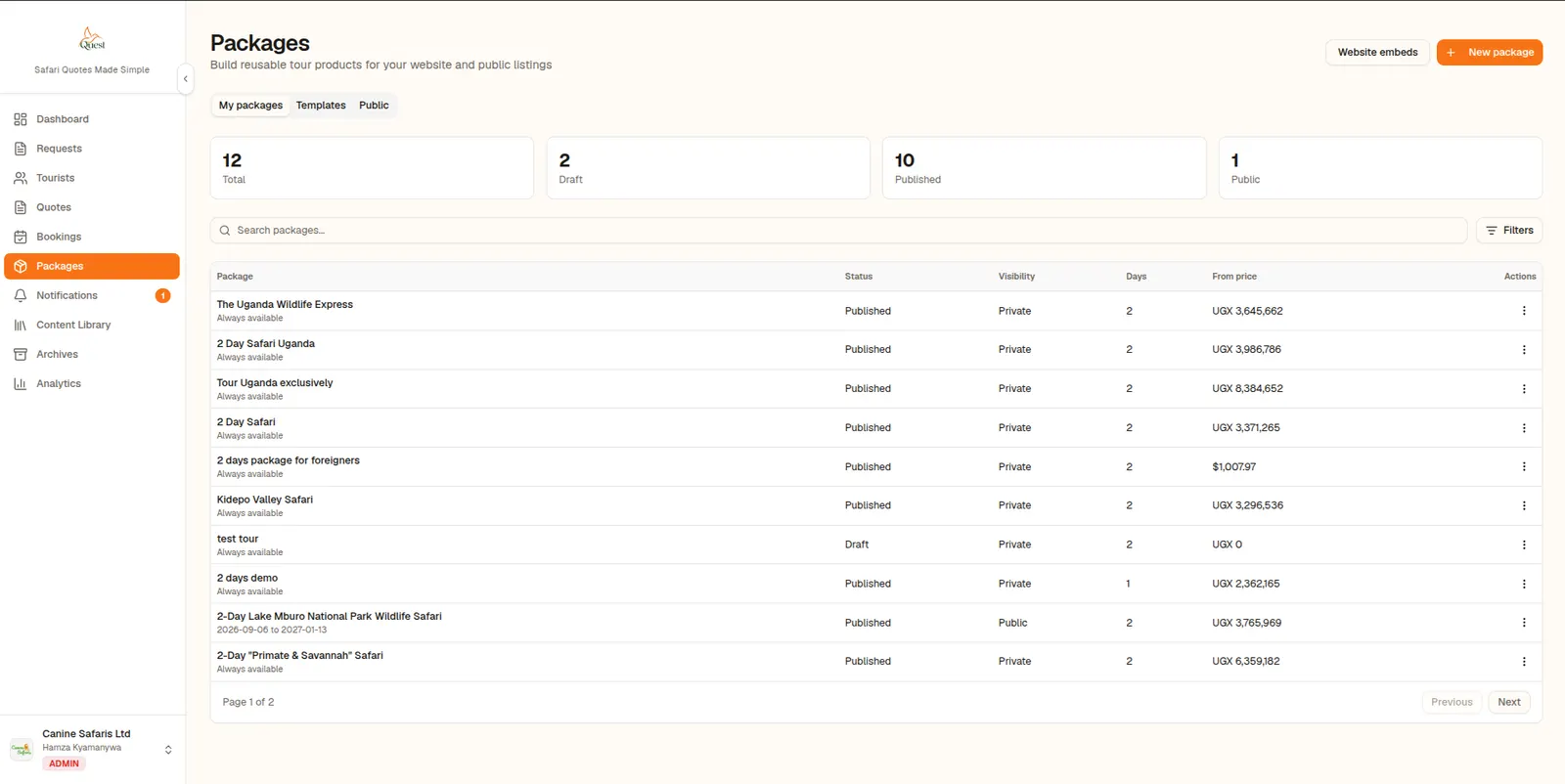
A quote answers a single enquiry. A tour package is a reusable product. You build the itinerary once, price it for the party sizes you sell, and manage it from one place. When the next tourist asks about the same trip, you start from the package instead of a blank page.
What you can do with a package
- Create it with the package wizard, using sensible defaults for the itinerary and party sizes.
- Publish a public share page you can send to tourists.
- Receive and manage bookings from the package's Bookings tab.
- Send a booking confirmation, with a PDF, after reviewing and editing the tourist's details.
- Show the package on your own website with website embeds or the Quest SDK.
Pricing that stays consistent
Package pricing uses the same engine as the quote builder, including nationality-based park fees and seasonal rates. Booking and confirmation pricing follows the party size and room configuration, and uses the exchange rate locked at the time, so the number a tourist saw is the number you confirm.
From enquiry to confirmed booking
When a visitor submits an inquiry or booking from a package page, it arrives in your notifications inbox and under the package's Bookings tab. You review it, adjust the tourist information if needed, and send the confirmation. For the full flow, see Requests, Tourists and Bookings.
About this feature
Tour Packages
Turn your best itineraries into reusable, sellable tour packages.
Explore Tour Packages