
Define pricing seasons once, attach them to rooms, activities and park fees, and let travel dates choose the rate.
· 6 min read, by the Quest team
A lodge room in June is rarely the price of the same room in March. Park fees and activities can move too. A quote that ignores the season is either too expensive to win or too cheap to profit. Seasonal pricing on Quest makes the season part of the calculation.
Define seasons, then attach rates
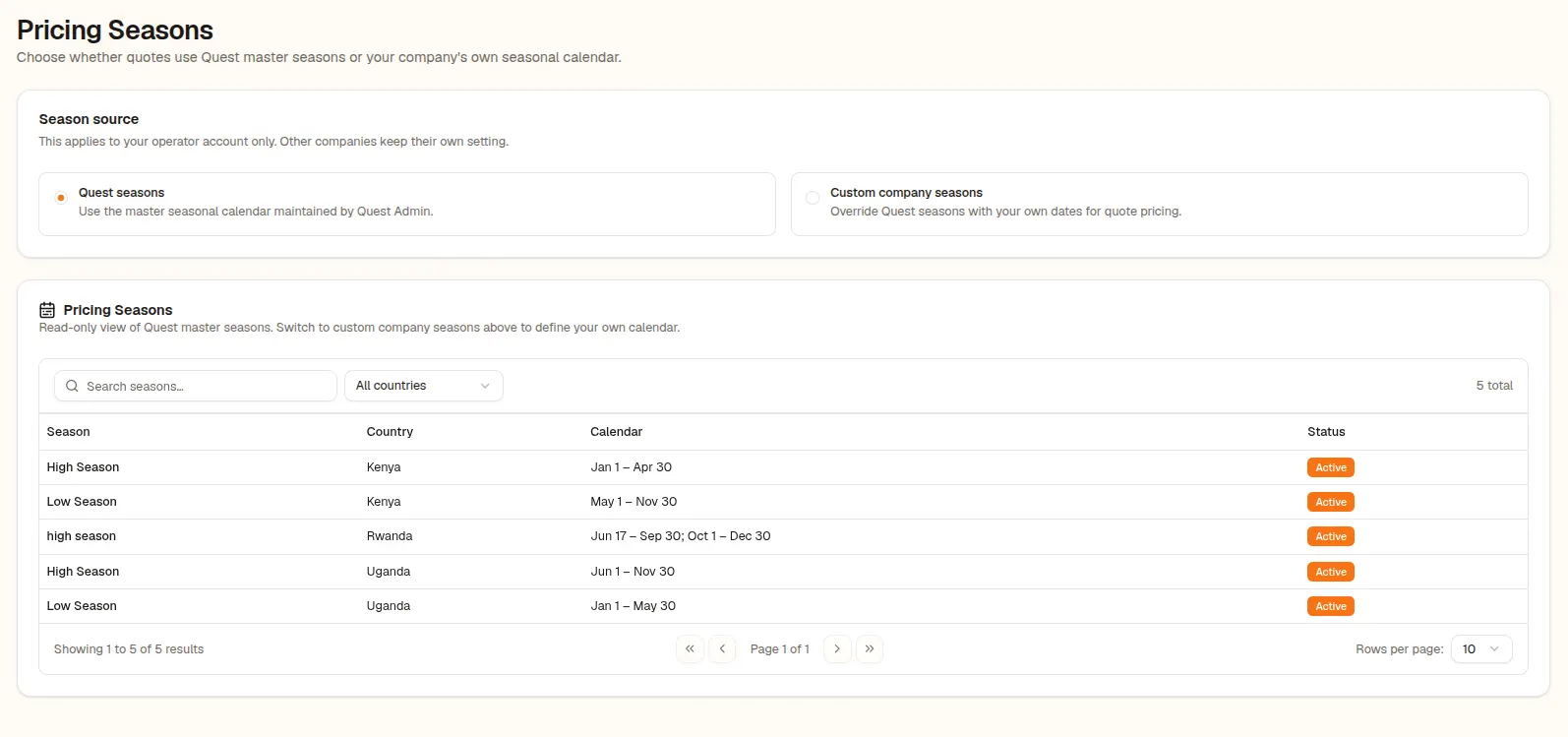
You define pricing seasons as periods in your settings. Seasonal fields then appear on three things: hotel room rates, activity prices and destination entry fees. A room can carry one rate for high season and another for low season, and so can an activity or a park entry fee.
Dates choose the season
When you build a quote, the travel dates determine which season applies. A single resolver prices rooms, so the same logic is used wherever a room rate is needed. You do not pick a season for every line.
Overrides, on purpose
Sometimes you want to price a trip against a different season, perhaps to quote a tourist a rate you have agreed. A per-quote season override lets you do that without changing your standing rates. A hint shows where each rate came from.
When a seasonal rate is missing
If a room or activity has no value for the active season, Quest falls back to another rate and shows a banner saying so. That is deliberate. A visible fallback is better than a silent wrong number.
Seasonal prices combine with nationality-based pricing and multi-currency, so a quote reflects the dates, the travellers and the currency together.
About this feature
Seasonal Pricing
Rates that follow the season, so a June quote and a March quote are both right.
Explore Seasonal Pricing