
Paste a snippet and your tour packages appear on your website, with inquiry and booking forms that reach your Quest inbox.
· 6 min read, by the Quest team
Your website is where tourists decide whether to trust you. Keeping it in step with your real tours and prices is a chore, and a stale tours page costs bookings. Website embeds make your Quest tour packages the single source of truth for what your site shows.
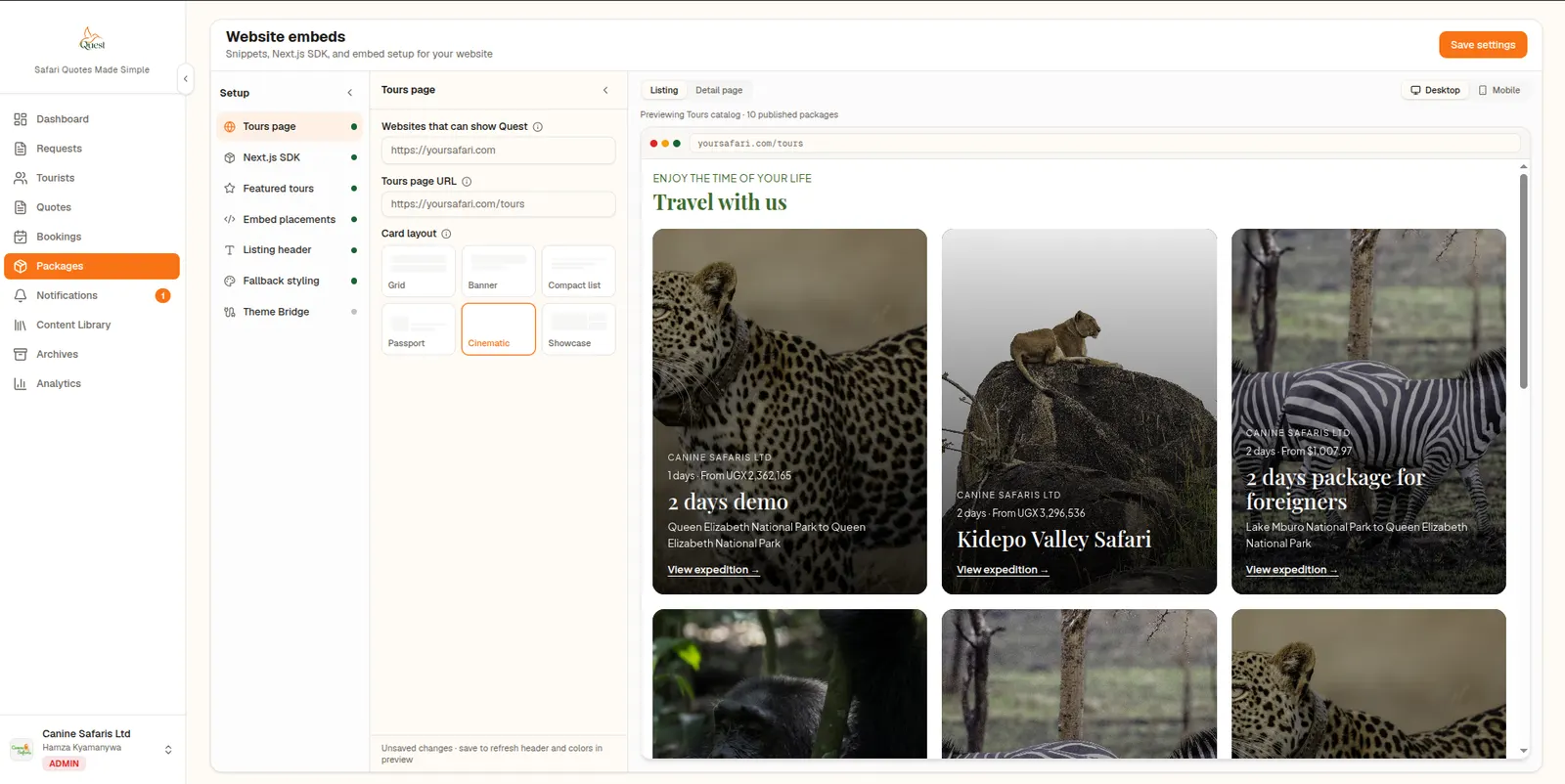
What an embed shows
A placement snippet renders a grid of tour cards on a page of your choice. Each package opens as a full, interactive itinerary on your own URL, not a PDF-style view. Visitors can send an inquiry or start a booking through step-by-step forms with party pricing.
Setting it up
- Add your allowed origins, for example your main website address with and without www.
- Set the URL of the page that lists your tours.
- Paste the Theme Bridge script once in your site's head so embeds pick up your fonts and colours.
- Paste the placement snippet where the tours should appear.
Looks like your site
The Theme Bridge passes your site's fonts and colours into the embed, so the tour cards do not look like a foreign widget. An optional SEO block can add static HTML and structured data alongside the snippet.
Enquiries land where you work
Submissions from the embed arrive in the Quest notifications inbox and on the package's Bookings tab, so you can follow them up from the same place you build quotes. See Requests, Tourists and Bookings.
Coded site? Use the SDK
If your site is built with Next.js, the Quest SDK renders the same tours on your own server with full SEO. Read the SDK post for how it works.
About this feature
Website Embeds
Show your tour packages on your own website without rebuilding it.
Explore Website Embeds