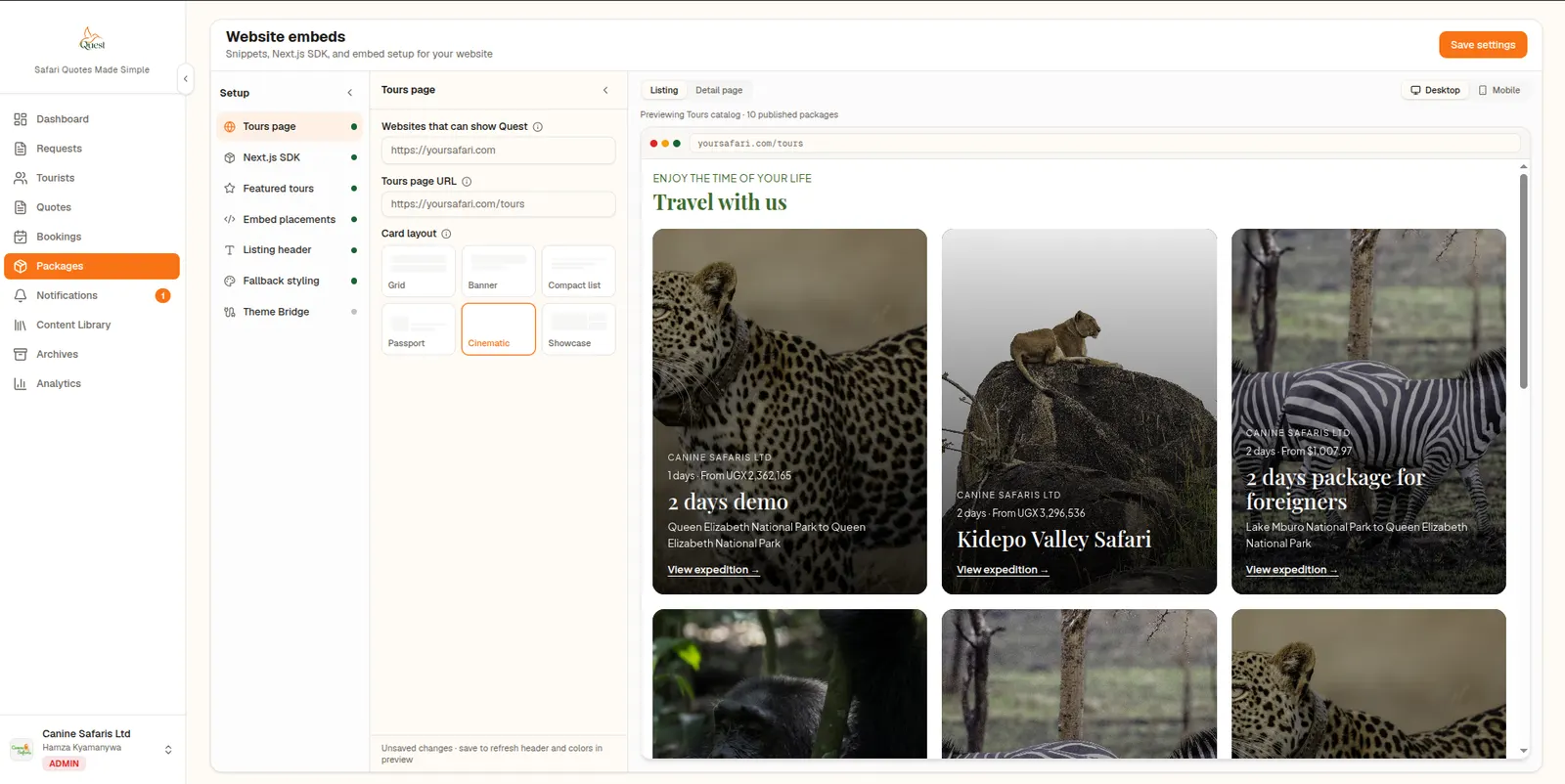
Website Embeds
Show your tour packages on your own website without rebuilding it.
Paste a snippet into your site to show tour cards and full itinerary pages, with inquiry and booking forms that reach your Quest inbox.
What it does
Website embeds put your Quest tour packages on your own site. A snippet renders a grid of tour cards, and each package opens as a full interactive itinerary page on your own URL. Visitors can send an inquiry or book, and the submission lands in your Quest notifications.
A Theme Bridge script lets the embeds inherit your site's fonts and colours, and an allowed-origins list controls which sites can display your packages. WordPress sites use the snippet; coded sites can use the web component.
Operators with a live tours page, such as Ewethu Safaris at ewethusafaris.com, need the site and the back office to show the same trips and prices. Embeds and packages keep marketing and quoting aligned when you change a rate or add a new gorilla departure.
Why operators use it
- 01
No rebuild required
Add a snippet to an existing WordPress or HTML site and your tours appear.
- 02
Looks like your site
The Theme Bridge passes your fonts and colours to the embeds.
- 03
Enquiries reach you
Inquiry and booking submissions arrive in your Quest notifications inbox.
How it works
Allow your origins
List the website addresses that may show your packages.
Copy the snippet
Paste the placement snippet and Theme Bridge into your site.
Publish packages
Published packages appear on your site, kept in sync.
FAQ
Common questions about website embeds.
WordPress and any site where you can paste HTML can use the snippets. Next.js sites can use the Quest SDK instead.