
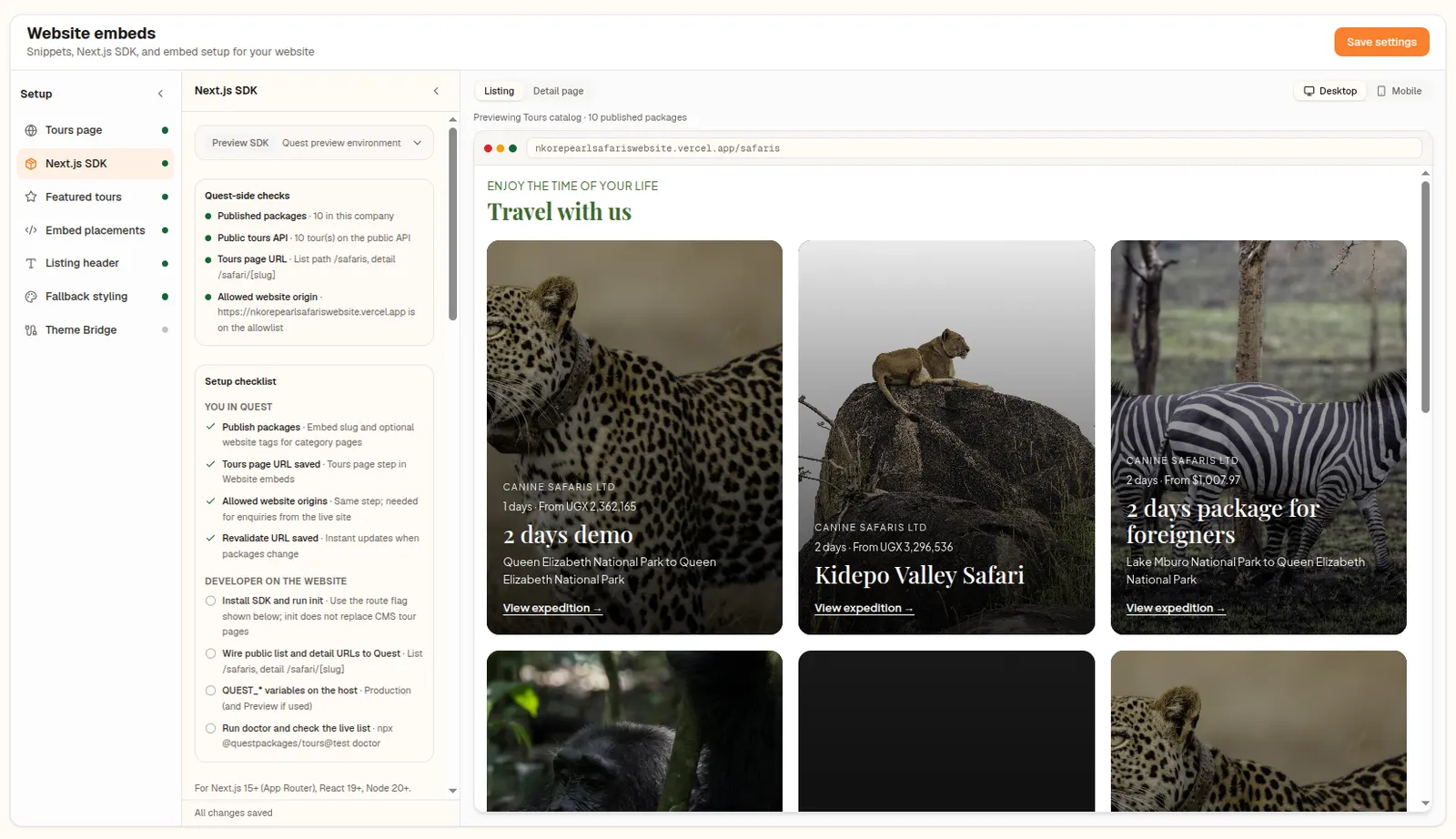
The @questpackages/tours SDK gives coded operator sites styled tour pages, server-rendered for SEO and refreshed within seconds.
· 7 min read, by the Quest team
Operators with a custom-coded website have different needs from those on WordPress. They want tour pages that search engines can read, that load quickly, and that match their design without an iframe in sight. The Quest SDK, published as @questpackages/tours, is built for exactly that.
What you get
- Styled tour cards and tour detail pages rendered on your own server.
- The same Book and Inquire forms as the website embed.
- Typed data from a public tours API, scoped to your company's site token.
- Website tags on packages, used for category pages on your site.
Why server-rendered matters
When tours render on your server, the full itinerary is in the page that search engines fetch. There is no iframe boundary hiding content. For an operator competing for searches like a specific park or trip length, that is the difference between a tours page that ranks and one that does not.
Fresh within seconds
Edit a tour package in Quest and a signed webhook tells your site to refresh the affected list and detail pages. You set the revalidate URL and webhook secret once. The setup screen can also send a test delivery and shows delivery status.
Getting started
- Open Website embeds in Quest and choose the Next.js SDK step.
- Run the install command shown there.
- Run the init command with your site token.
- Add the revalidate URL and webhook secret to your site.
The screen also generates an agent brief written for external developers and AI coding agents, with no internal details, so you can hand the job to whoever builds your site.
About this feature
Quest SDK
Render your tours on your Next.js site, server-side, with full SEO.
Explore Quest SDK